
Cyber Insurance Security Requirements Every Business Must Know
Understanding Server Virtualization in the Cloud
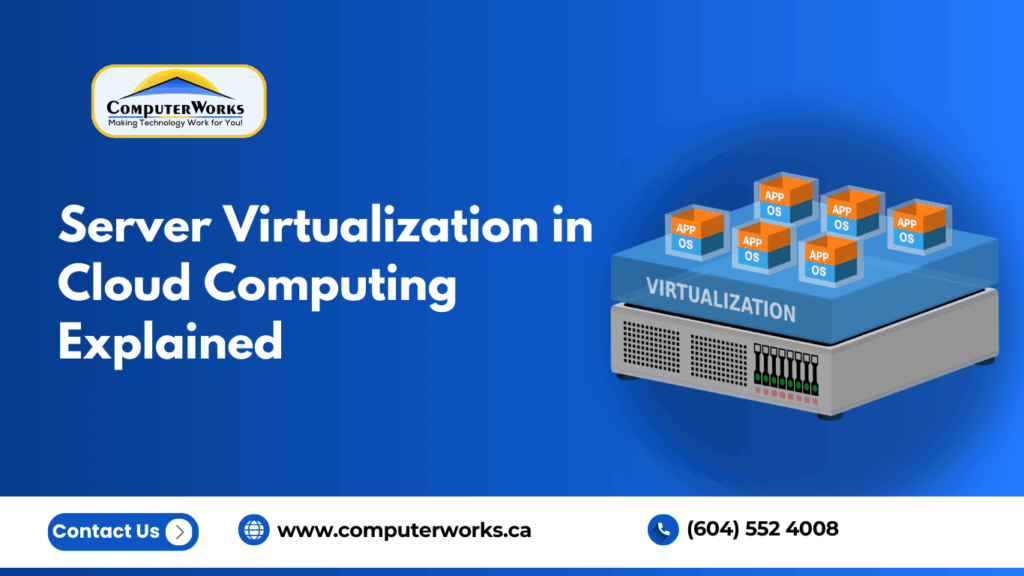
Today, businesses rely on applications, databases, file storage, and communication platforms to ensure they function effectively. However, running these systems on separate physical servers is costly, intricate, and hard to maintain. Problems that are typical of expanding organizations are hardware failures, lack of scalability, and increasing energy expenses.
That is precisely the reason why server virtualization has become one of the main components of recent cloud computing.
Rather than buying several physical machines and operating them separately, any business can now operate several autonomous servers on dedicated hardware. The result? More performance, reduced cost, and a much more flexible IT environment.
In this manual, we are going to give a clear explanation of what server virtualization is and how it is used, why companies are switching to it, and how it is successfully implemented by managed IT providers such as ComputerWorks.
What Is Server Virtualization?
Virtualization of servers refers to the activity of splitting a single physical server into numerous distinct virtual servers, also termed as virtual machines (VMs).
Each virtual machine behaves like a real computer. It can:
- Run its own operating system
- Host applications
- Store data
- Operate independently from other virtual machines
Although they are of the same physical hardware, users and software treat them as being totally independent servers.
This has been achieved with the help of a software layer (a hypervisor).
How Server Virtualization Works
The central virtualization element is the hypervisor. It lies between the operating systems and the hardware, and resource distribution is smart.
The Hypervisor’s Role
The hypervisor allocates:
- CPU processing power
- Memory (RAM)
- Storage
- Network bandwidth
to each virtual machine as needed.
Step-by-Step Process
- A data center contains a physical server.
- The hypervisor software is installed.
- Several virtual machines have been developed.
- The VMs have separate operating systems.
- The operating system is independent of the VMs.
This implies that a single physical server can substitute 5, 10, or 20 conventional servers.
Why Server Virtualization Is Important in Cloud Computing
Scalability and flexibility are key components of cloud computing. That is made possible by virtualization.
Without virtualization:
- Each application would need its own hardware.
- It would scale slowly.
- Costs would skyrocket.
With virtualization:
- Resources are exchanged.
- Servers are immediately deployed.
- Companies only use what they require.
To put it simply, cloud infrastructure is built on virtualization.
Key Benefits of Server Virtualization
1. Reduced IT Costs
Physical servers are costly. You are required to buy equipment, air conditioners, servers, and reserve devices.
Virtualization reduces:
- Hardware purchases
- Power consumption
- Maintenance costs
When companies have migrated to a virtualized environment, they tend to save a lot of money on infrastructure.
2. Better Resource Utilization
The traditional environment is characterized by servers having only a capacity of 15-20%.
Virtualization enables the sharing of a single piece of hardware among many workloads, and you hence make optimum utilization of your resources.
3. Faster Deployment
The physical server can be established in days or weeks.
It is possible to create a virtual server in minutes.
This speed allows businesses to:
- Launch applications quickly
- Support remote teams
- Adapt to growth
4. Improved Disaster Recovery
Virtual machines can be saved in the form of files.
This makes:
- Recovery faster
- Downtime shorter
- Data safer
Should hardware go bad, your virtual server can be reinstated in another system within the blink of an eye.
5. Scalability
You do not have to acquire new hardware as long as your business is expanding.
Instead, IT administrators can simply:
- Add resources
- Create additional virtual machines
- Increase storage
Your company expands your infrastructure.
Types of Server Virtualization
Full Virtualization
Every virtual machine is totally isolated and runs a full operating system. In cloud environments, this is the most popular method.
Para-Virtualization
Performance is enhanced by the operating system’s communication optimization with the hypervisor.
Hardware-Assisted Virtualization
Virtualization is directly supported by modern processors, enabling increased stability and efficiency.
Server Virtualization vs Physical Servers
|
Feature |
Physical Servers |
Virtual Servers |
|
Cost |
High |
Lower |
|
Deployment |
Slow |
Fast |
|
Scalability |
Limited |
Highly scalable |
|
Maintenance |
Hardware dependent |
Software managed |
|
Disaster Recovery |
Complex |
Quick restoration |
Virtualization clearly provides greater flexibility and reliability.
Security in Virtualized Environments
Many business owners worry: Is virtualization secure?
Yes, provided it is set up correctly.
Virtualization actually improves security because:
- Systems are isolated
- Backups are easier
- Threats can be contained
But it needs to be handled expertly. Many businesses depend on managed IT providers because misconfiguration can lead to vulnerabilities.
Real-World Business Use Cases
The most popular uses of server virtualization are:
Remote Work Infrastructure
The employees can access the systems of the company securely from anywhere.
Application Hosting
Virtual servers effectively run ERP, CRM, and accounting software.
Testing and Development
The IT teams are able to develop test environments without purchasing hardware.
Backup and Business Continuity
Even hardware failure does not prevent companies from operating.
How ComputerWorks Helps Businesses Implement Virtualization
The process of migrating to virtualization is not a technical project, but it is a business decision. They are necessary in planning, configuration, and monitoring.
ComputerWorks assists in the seamless transition of businesses by assisting them with:
- Cloud hosting solutions
- Private and hybrid cloud infrastructure
- Managed IT services
- 24/7 monitoring and support
- Data backup and disaster recovery
- Cybersecurity protection
Organizations do not need to handle intricate systems in-house, as they will be able to concentrate on business, and qualified personnel can handle the infrastructure.
When Should a Business Move to Server Virtualization?
You should consider virtualization if:
- You are often out of space on your servers.
- IT maintenance is taking excessively too much time.
- Upgrades to hardware are costly.
- Unavailability influences productivity.
- You plan to move to the cloud
These are good indicators that your infrastructure requires modernization.
Common Misconceptions About Server Virtualization
“It’s only for large enterprises.”
SMEs are the greatest winners since they save a lot of capital expenses.
“It’s complicated.”
Under monitored IT assistance, handling is smooth.
“It replaces IT staff.”
It, in fact, gives them power since it decreases the repetitive maintenance.
The Future of Server Virtualization
Virtualization is evolving alongside:
- Cloud hosting
- Remote work environments
- AI applications
- Cybersecurity frameworks
Almost all current cloud platforms rely on virtualization technology. Those businesses that have implemented it today are planning scalability and resilience in the long term.
Final Thoughts
Cloud computing has rendered virtualization of the server as an option, but a strategic benefit. It enables companies to work in a faster mode, scale more effectively, and secure crucial information without huge hardware expenditure.
The inability of organizations to cope with downtime, increasing costs, and low flexibility is a common problem of organizations that still use only physical servers.
Through virtualizing and working with an experienced provider, such as ComputerWorks, business people receive:
- Reliable infrastructure
- Better security
- Predictable IT costs
- Future-ready operations
Server virtualization is one of the best investments that you can make in technology today, should your company consider expansion, cloud scaling, or better reliability.
Checklist:
What Is Server Virtualization?
How Server Virtualization Works
Why Server Virtualization Is Important in Cloud Computing
Key Benefits of Server Virtualization
Types of Server Virtualization
Security in Virtualized Environments
How ComputerWorks Helps Businesses Implement Virtualization
When Should a Business Move to Server Virtualization?
Common Misconceptions About Server Virtualization